
The Putnam County Court Calendar
Putnam County offers no standalone official calendar search. The working online route is Indiana MyCase. There you can search a cause number, party, citation, or attorney. Pick Putnam County and open the matching case. The CCS lists dated events plus the next setting when that setting is public.
Indiana Administrative Rule 9 tells trial courts to publish electronic or daily calendars and dockets. Those must show the case number, caption, date, time, and location. That rule sets a floor, though. It does not promise a separate Putnam County calendar website or a search by hearing date, so courthouse visits and calls to the court remain part of the public calendar channel.
Putnam Calendar Has No Portal
MyCase shows no setting-date field on its basic search screen. Advanced Search filters by case filing date and status, not by a day on the Putnam County court calendar. Someone who knows only a hearing date cannot run a countywide date-only query through the official interface.
Fast answer: Find the case first, then read its CCS. If the case cannot be found or the date is urgent, call the assigned court or the Putnam County Clerk.
That gap trips up a lot of searchers. Typing a hearing date into the File Date From or File Date To boxes looks for cases filed in that window. Those fields never search the hearing calendar at all.
How to Find Your Court Date
Use whichever channel fits your case. Online lookup is easy, but the assigned court is the best check for a last-minute change. When the court or case number is unclear, the Putnam County Clerk can sort out both.
- Search MyCase by case number, citation number, party, or attorney and choose Putnam County.
- Open the result and locate the latest hearing, setting, notice, continuance, or reset event in the CCS.
- Match the prefix: 67C01 is Circuit Court and 67D01 is Superior Court.
- Call Circuit at 765-653-5315, Superior at 765-653-2658, Magistrate at 765-301-9197, or the Clerk at 765-653-2648 when confirmation is needed.
- For in-person access, ask for the current public setting at the courthouse counter during published office hours, Monday through Friday, 8:00 a.m. to 4:00 p.m.
No official source says where a printed daily calendar hangs or whether a public terminal shows more setting detail than MyCase. Ask court staff. Never assume a specific room or board on your own.
Putnam Rule 9 Calendar Fields
A public daily court calendar does one narrow job. Administrative Rule 9 lists its fields: case number, caption, date, time, and location. The CCS can add more detail. It may show the judge, event description, courtroom, or reset history. Protected information and confidential cases still fall under the Access to Court Records Rules.
| Calendar field | How to use it | Common trap |
|---|---|---|
| Case number | Confirms the Putnam court and case type | Do not rely on a similar case style alone |
| Caption | Identifies the case in public-facing terms | Protected party information may be omitted |
| Date and time | States when the setting is scheduled | A later reset may replace it |
| Location | Names the courtroom or hearing location when shown | Do not infer a room from the judge's office |
The official rule is the statewide access floor, while Putnam's CCS and court staff supply the case-specific context.
Reading a Court Setting
A setting is a scheduled court event, and it may not be the trial. Read the event type alongside the date, time, court, and location. Then scan every later entry for a reset, continuance, cancellation, or new notice. The case header can also show an "Appear By Date," and that field may mark a deadline rather than an in-person hearing.
| Date | The scheduled day; compare it with later CCS entries. |
|---|---|
| Time | The stated start time, subject to confirmation by the court. |
| Court | Putnam Circuit, Superior, or a Magistrate assignment under one of those causes. |
| Judge | The judicial officer shown for the setting; a special judge or reassignment may appear later. |
| Setting type | Initial hearing, pretrial, motion, status, plea, trial, review, proceedings supplemental, or another event. |
| Location | The courtroom, courthouse, or approved remote setting as the current notice states. |
Read the official notice as well as MyCase. A calendar line alone will not tell you what papers to bring, whether attendance may be remote, or what the court ordered.
Putnam Calendar Contact Split
All Putnam County courts share one courthouse, yet each court keeps its own line for setting questions. Let the cause-number prefix guide your call. The clerk serves as the unified records office and the fallback whenever a Magistrate assignment or shared case type muddies the route.
Putnam Circuit Court
765-653-5315
Cases using the 67C01 prefix.
Putnam Superior Court
765-653-2658
Cases using the 67D01 prefix.
Putnam Magistrate Court
765-301-9197
Assigned matters within an underlying court file.
Putnam County Clerk
765-653-2648
Case number, assigned court, and public-record fallback.
Ask for the current setting by cause number. Court staff can share factual schedule information but cannot give legal advice.
Resets, Continuances, and Cancellations
A continuance postpones an event. A reset puts it on a new date. A cancellation takes the event off the schedule, though another one may replace it later. None of these words means the case was dismissed. So read the CCS in order and watch the entries after the first setting notice with extra care.
The official Putnam Courts FAQ spells out local continuance practice and how Magistrate matters work.
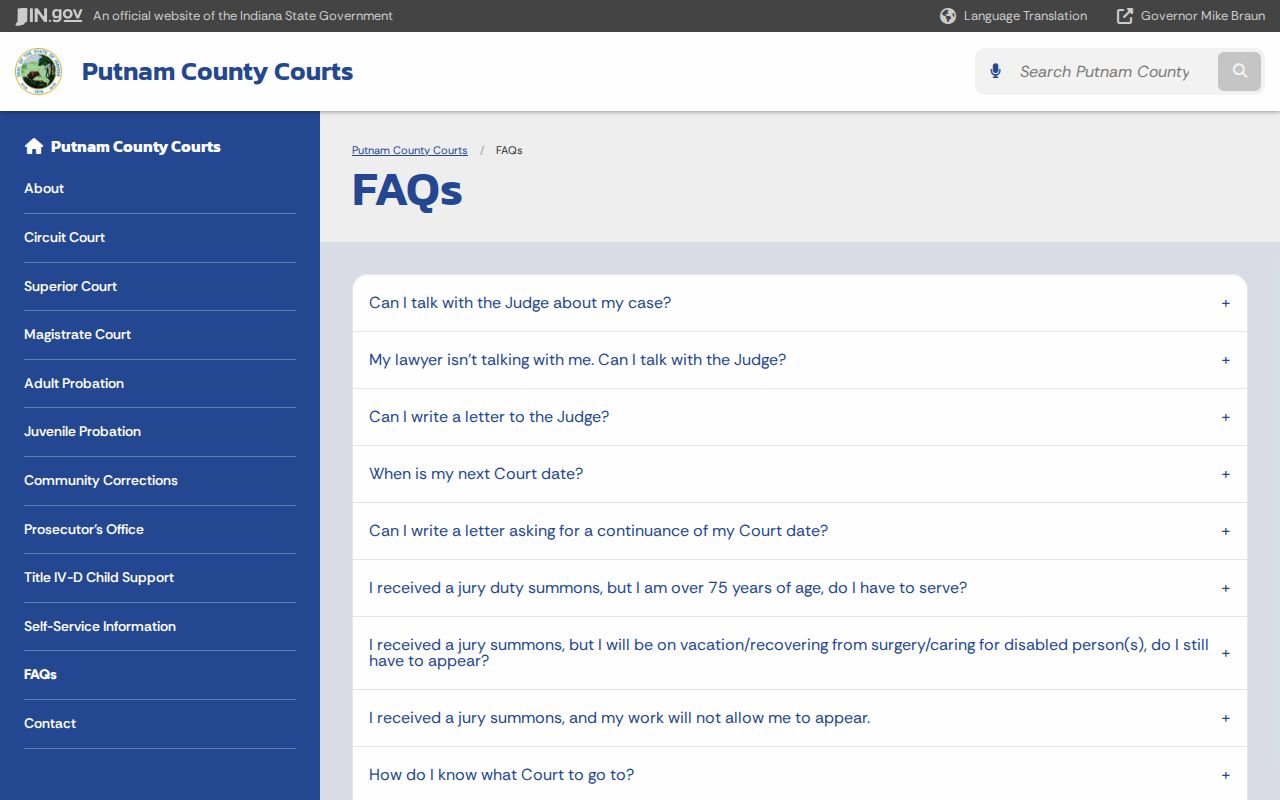
Local guidance points to one calendar rule worth keeping: contact the assigned court about any requested change, then confirm the docket actually shows a new setting. Asking for a continuance changes nothing by itself. Until the court grants it and enters the change, the existing Putnam County court calendar setting still controls.
Putnam Telephonic Pretrial Rule
Local rule LR67-9 lets a requesting party start a telephone or video pretrial conference. That applies in Circuit and Magistrate matters. The published rule says that procedure is not used in Superior Court. It covers specified pretrial or other matters, so it does not prove every Putnam County court date can be handled remotely.
Check the current notice and the CCS. A remote appearance changes how you attend, not which court owns the case. Never rely on a general video link or an old remote-hearing note. Confirm remote options with the assigned court.
Note: The Putnam local rules became effective January 1, 2026; use the current posted rule and the court's latest notice.
Putnam Traffic Calendar Dates
A traffic ticket in Putnam County comes with dates, and they mean different things. The day the citation was issued is not your trial date. What that date starts is a response window. The official traffic page tells you to pay, deny, or ask for a deferral where one is allowed. Deny the ticket and a trial gets set later on.
To track it, search MyCase by citation or case number. Select Putnam County and Criminal & Citation. No case number on the ticket? Call the clerk at 765-653-2648. Be careful with the return or payment deadline. It is not a hearing setting and should not be treated like one. Once the case shows up, read the CCS. Then confirm any actual trial date with Superior Court, which runs the local traffic docket there.
What To Do If You Miss a Setting
Missed a hearing in Putnam County? Call the assigned court right away. Give the cause number and ask what the docket shows, whether the court entered an order, and whether a new date is on the books. Then check MyCase for a missed-hearing entry, warrant, judgment, default, failure-to-appear, or reset. What any of it means for you depends on the type of case. It also depends on the setting you skipped.
Do not assume the case was simply reset. A missed criminal, civil, or traffic setting can produce different court action. Only the current CCS, order, and assigned court can confirm what happened.
Sometimes an order is public but not linked anywhere. In that situation, request it straight from the Putnam County Clerk. Need a transcript of a hearing that already happened? Contact the assigned court reporter and give the date, the court, the judge, and the part of the proceeding you need. The county posts no transcript fee or turnaround time. So ask the reporter's office what it charges and how long it takes.